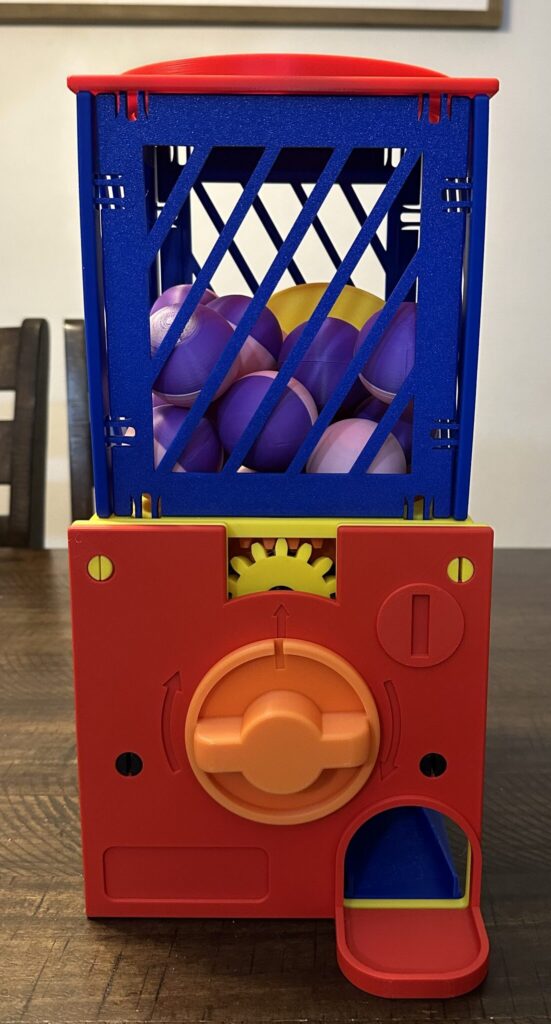
It all started with a 3D printer and a gacha machine model I found online. At first, I just wanted to see how it worked and how all the parts fit together. From there, I printed a batch of matching capsules using this model and filled them with small rewards like Tootsie Rolls, Hershey Kisses, and tiny 3D printed characters.
After several days of printing, the machine was fully assembled and ready to go.
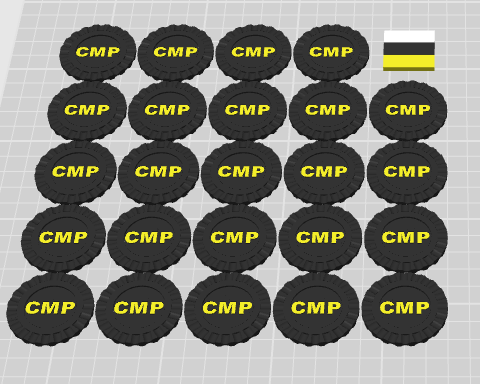
I also printed a bunch of chips to use with it, and before long it became a fun reward system at home for my kids when they finished chores. It worked really well, and the kids loved it.
That got me thinking: could I adapt the same idea for my classroom?
Making it work for high schoolers
I teach 10th through 12th grade students, and I wanted a way to increase class interactivity while encouraging creativity and positive participation. We had already used rubber ducks as part of a reward system, inspired by rubber duck debugging, but I wanted to take the idea further and turn it into something more game-like.
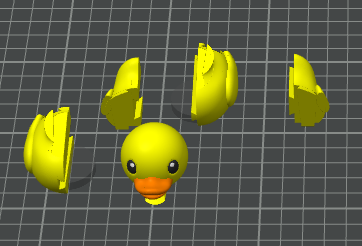
I found a 3D model of a rubber duck, then modified it in Bambu Studio. I colored the eyes, added dovetail cuts, and turned it into a five-piece puzzle. I also built in a 1-inch cylindrical cavity in the bottom so an NFC chip could be glued in after assembly.
Along with that, I printed:
- custom maker chips labeled CMP with a duck on them
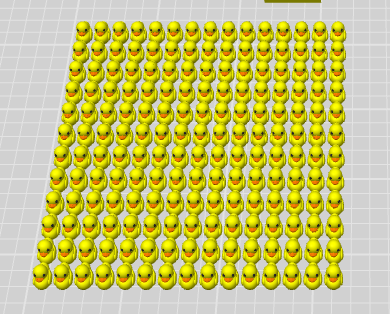
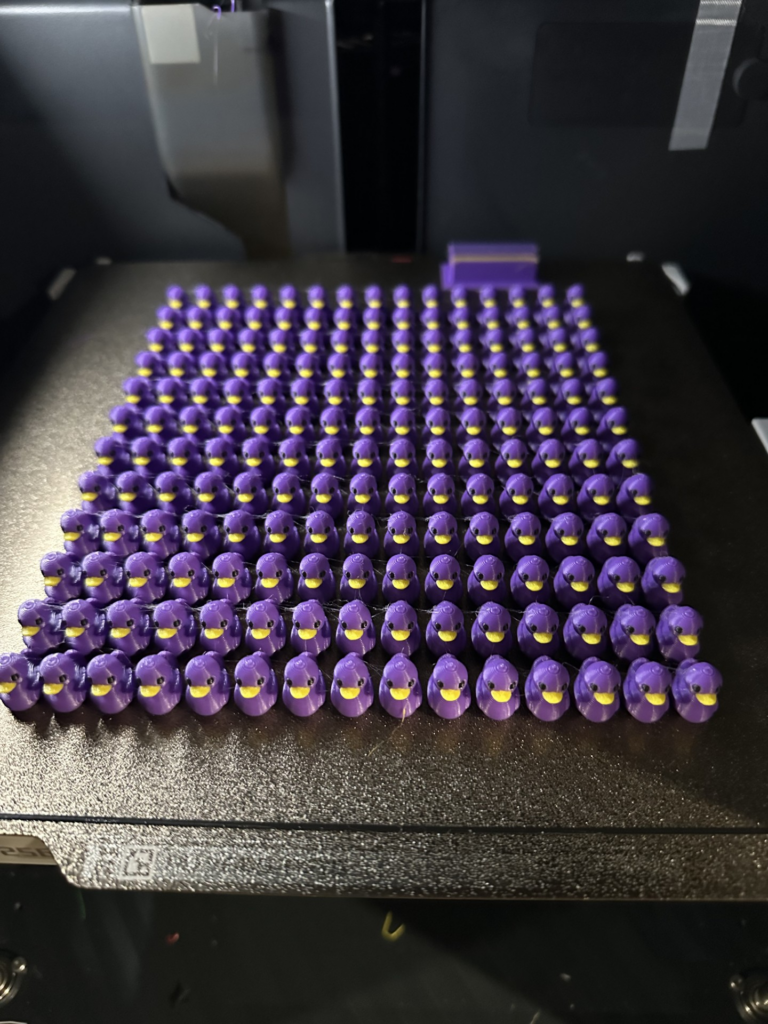
- lots of tiny ducks
- the puzzle duck parts themselves
Once the machine, duck parts, chips, and tiny ducks were all printed, phase two could begin.
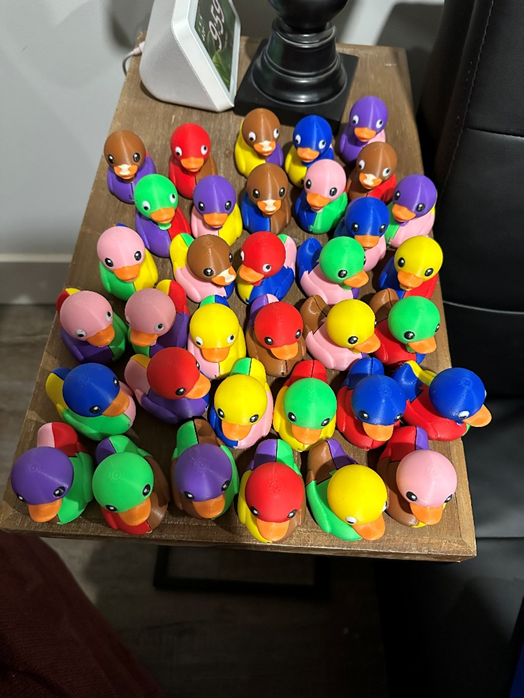
Phase 2: Bringing the Ducks to Life
The goal of phase two was to make the ducks feel alive.
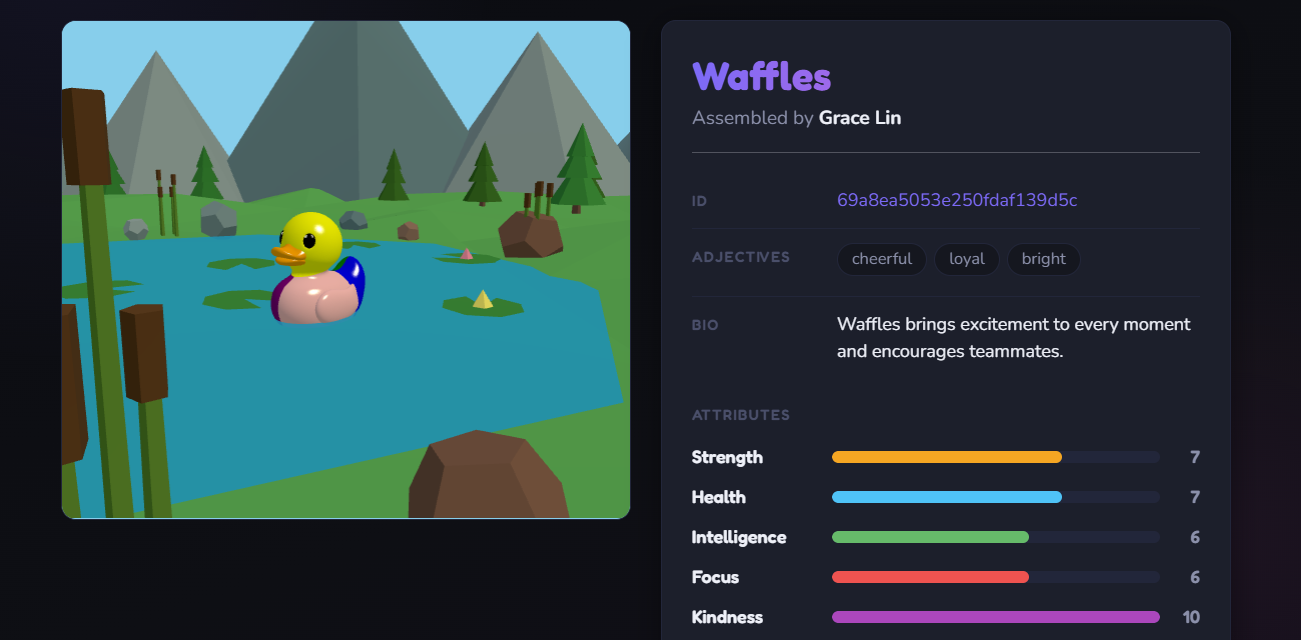
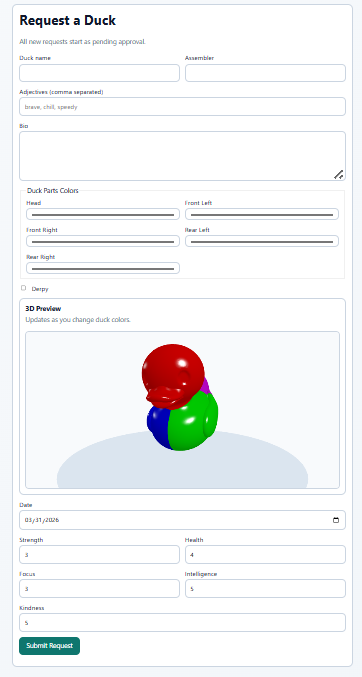
Students who did something worth recognizing would earn a token. They could use that token in the machine to receive a random capsule. Inside each capsule was a random duck part: head, front left, front right, rear left, or rear right. After collecting enough parts, and sometimes trading duplicates with classmates, students could assemble a full duck and complete its “adoption paperwork.” This was an online form tied to a Mongo DB backend with a basic REST API that I had one of my more talented students put together while I was wrapping up phase one.
To adopt a duck, students filled out an online form with the following info:
- duck name
- assembler name
- duck colors
- three adjectives describing the duck
- a short bio, written by the student or with AI
- 20 stat points distributed across five attributes:
- strength
- health
- focus
- intelligence
- kindness
Those attributes would later become important in the applications built around the ducks.
Once a request was reviewed and approved, we glued an NFC chip into the bottom of the duck.
Why Add an NFC Chip?
Long before this duck system, I had been thinking about ways to use some NFC chips I had bought about a year earlier. I kept coming back to the idea of building something a little like Skylanders, where a physical object could unlock a digital experience.
To make that possible, I bought an NFC card reader/writer from Amazon (link) and worked with AI to develop a simple Python writer class. It wrote a small record to the chip that included:
- a URL
- the duck’s database ID
- a small JSON payload with identifying information
At a high level, it looked like this:
[ { "type": "url", "value": "{a link to a duck chat we would write}" }, { "type": "text", "lang": "en", "value": "{the id of the duck in the db from the form}" }, { "type": "json", "value": { "_id": "{the duck id}", "assembler": "{the name of the person who assembled it}", "name": "{the duck's name}" } } ]The first version of the application was simple. It called an API endpoint that listed all approved ducks, displayed them, and let us choose which duck’s information to write to a chip.
That was enough to create a bridge between the physical duck and the digital system.
The First Digital Experience: Duck Chat
Once the ducks were assembled and the NFC system was working, we suddenly had a lot of possibilities.
The first application we built was an online duck chat. When someone tapped an NFC-enabled phone to the duck, the URL stored on the chip opened a page for that duck. The page loaded:
- a 3D rendering of the duck
- its attributes
- an AI chat interface
The duck’s personality in the chat was influenced by its stats. For example:
- a duck with low kindness might seem rude
- a duck with low focus might get distracted
- a duck with low intelligence might confidently give bad answers
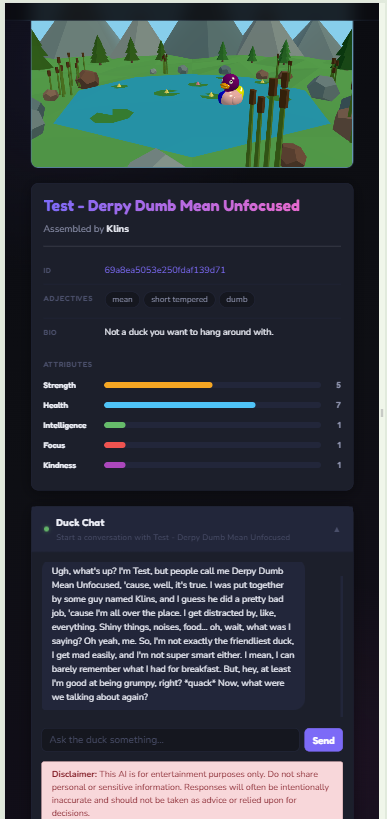
Once that page was working, we had enough to officially launch the system and start letting students earn ducks. It had a real impact on the classroom and made me more intentional about noticing and rewarding positive actions. More importantly, it made the process fun.
The Next Step: Building Out the Ecosystem
The duck chat was only the beginning.
My original goal was still to create something more like a small Skylanders-style ecosystem, where the physical duck could act as a key to multiple activities.
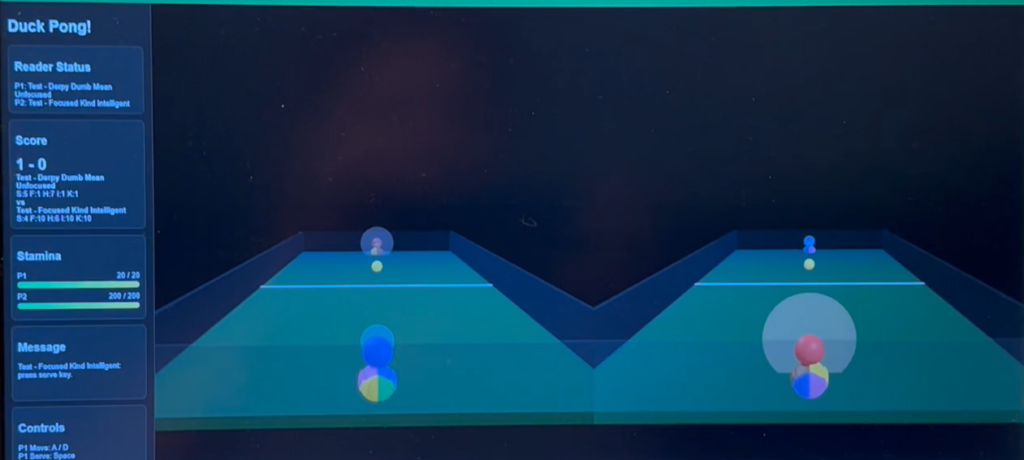
One of the first expansions was a simple 3D Pong-style game. I leaned on AI to help prototype it quickly. In that game, duck attributes affected gameplay:
- focus influenced paddle size
- strength affected movement speed
- health affected how quickly a duck tired out and slowed down
With two card readers attached to the machine, two students could place their ducks on “portals,” have the application read their duck IDs, load their stats from the API, and compete locally.
I also used the project as a way to continue testing current AI coding and prototyping capabilities. With that in mind, I had AI help build a very basic online, Smash Bros.-style web game that used WebSockets so students could compete against each other in a simple platform-fighting game. In that version, students joined a room, selected a duck from a dropdown populated by the API, and battled each other online.
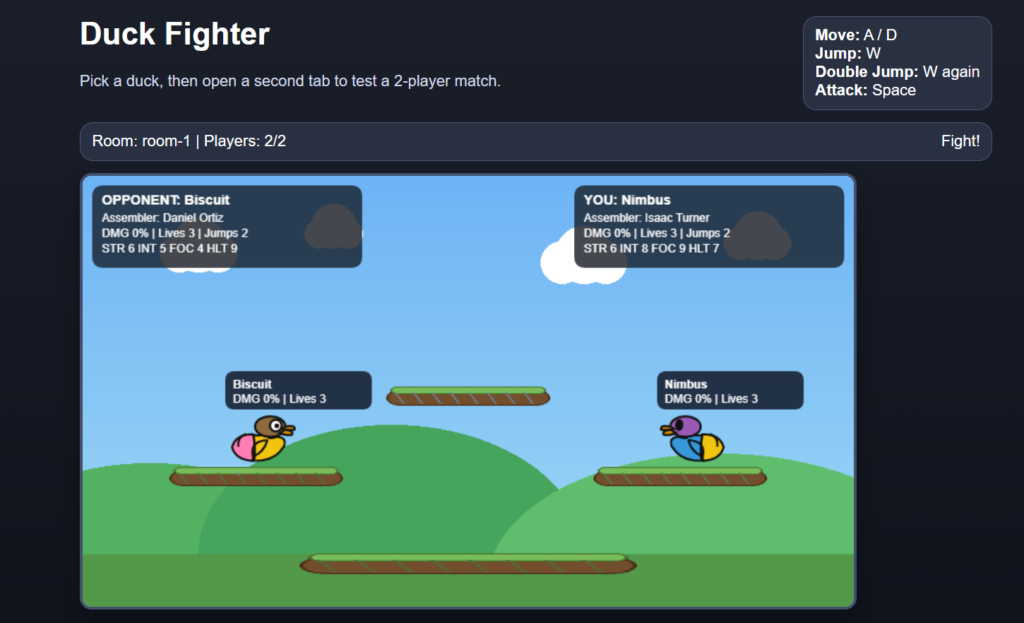
Both applications were rough prototypes, but they worked well enough to prove the concept. The bigger goal was to create an open-source duck ecosystem that students could build on themselves. They could fork the code on GitHub, improve the games, or create entirely new applications for our classroom community using the ideas, code, and libraries from the examples I gave them.
What About the Tiny Ducks?
Earlier, I mentioned printing lots of tiny ducks.
Those serve as an additional reward layer, almost like “pennies on the dollar.” If I had already given a student one or two tokens that day and wanted a smaller but still meaningful way to reward them, I could give a tiny duck instead.
Tiny ducks can then be used to increase the stats of an existing duck, almost like experience points. So while a student might begin with only 20 points to distribute, they can gradually improve their duck over time by earning more tiny ducks.
Conclusion
What started as a fun little 3D printing experiment became something much bigger: a classroom reward system, a creative game mechanic, and a platform for student-driven digital projects.
The students seem to genuinely enjoy it, and I’ve been happy to use it as a way to recognize positive effort, creativity, and collaboration in a format that feels playful rather than forced. More than anything, it has opened the door to a lot of new ideas, and I think there is still plenty more to build.

Leave a Reply